> ## Documentation Index
> Fetch the complete documentation index at: https://help.eazybe.com/llms.txt
> Use this file to discover all available pages before exploring further.
# Team Inbox
> Access EazyBe Team Inbox directly within Bitrix24 for seamless team communication and contact management
EazyBe Team Inbox is now integrated directly into Bitrix24, allowing your team to manage WhatsApp conversations without leaving the CRM.
## Team Inbox on Contact Page
### Step 1: Find the Team Inbox Tab
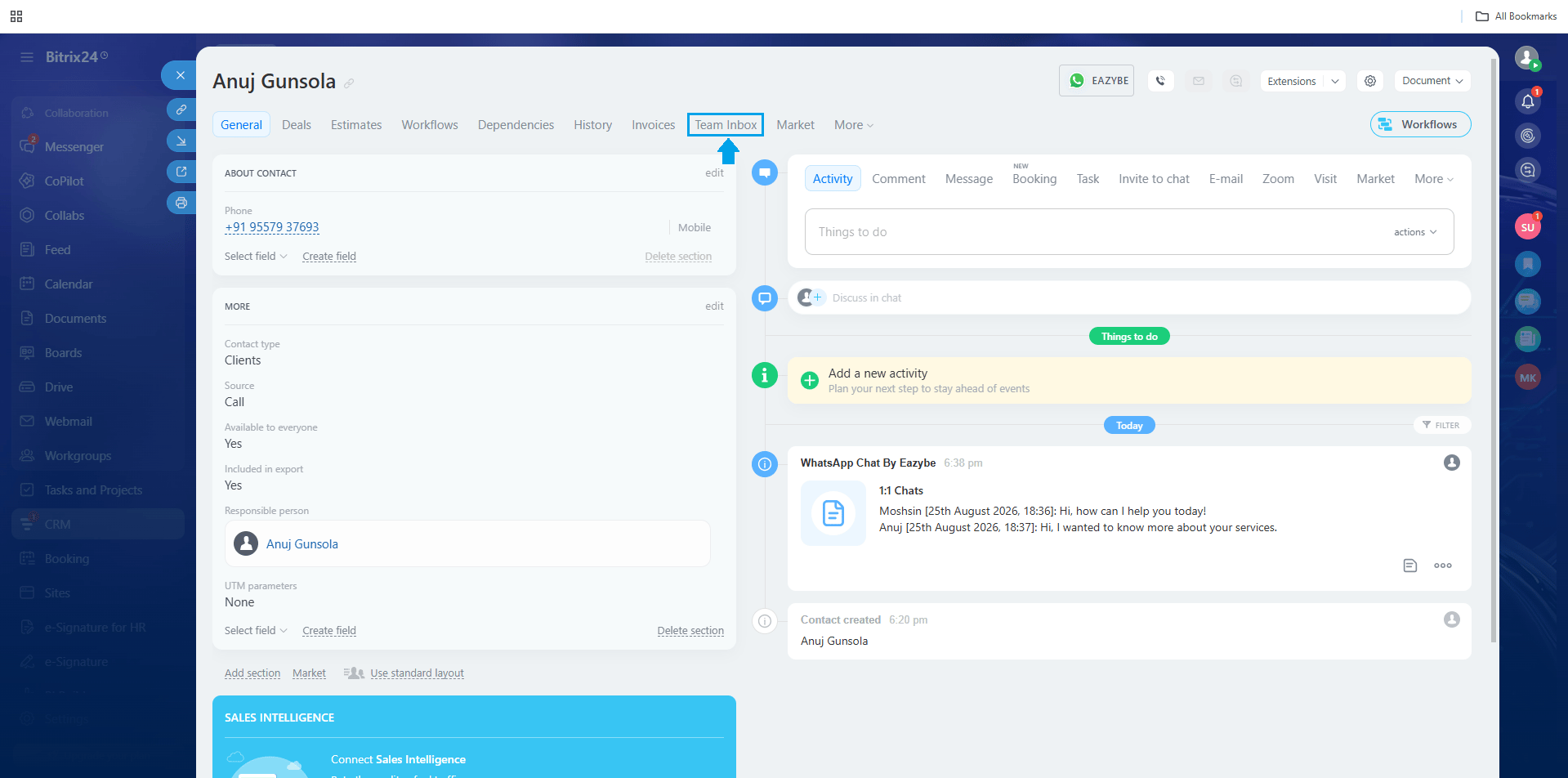
On any contact's page in Bitrix24, look for the Team Inbox tab.
 ### Step 2: Open Team Inbox
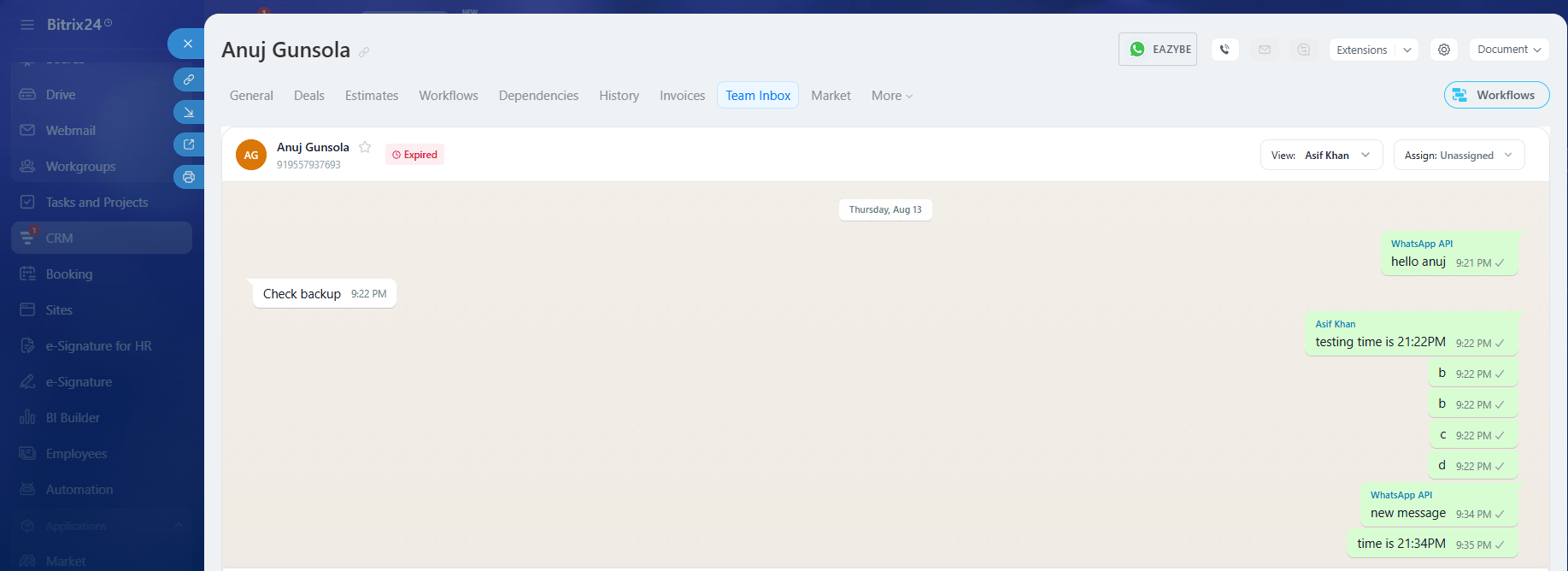
Click the Team Inbox tab to view conversations with that specific contact.
### Step 2: Open Team Inbox
Click the Team Inbox tab to view conversations with that specific contact.
 ## Global Team Inbox
### Step 1: Find the EazyBe Team Inbox
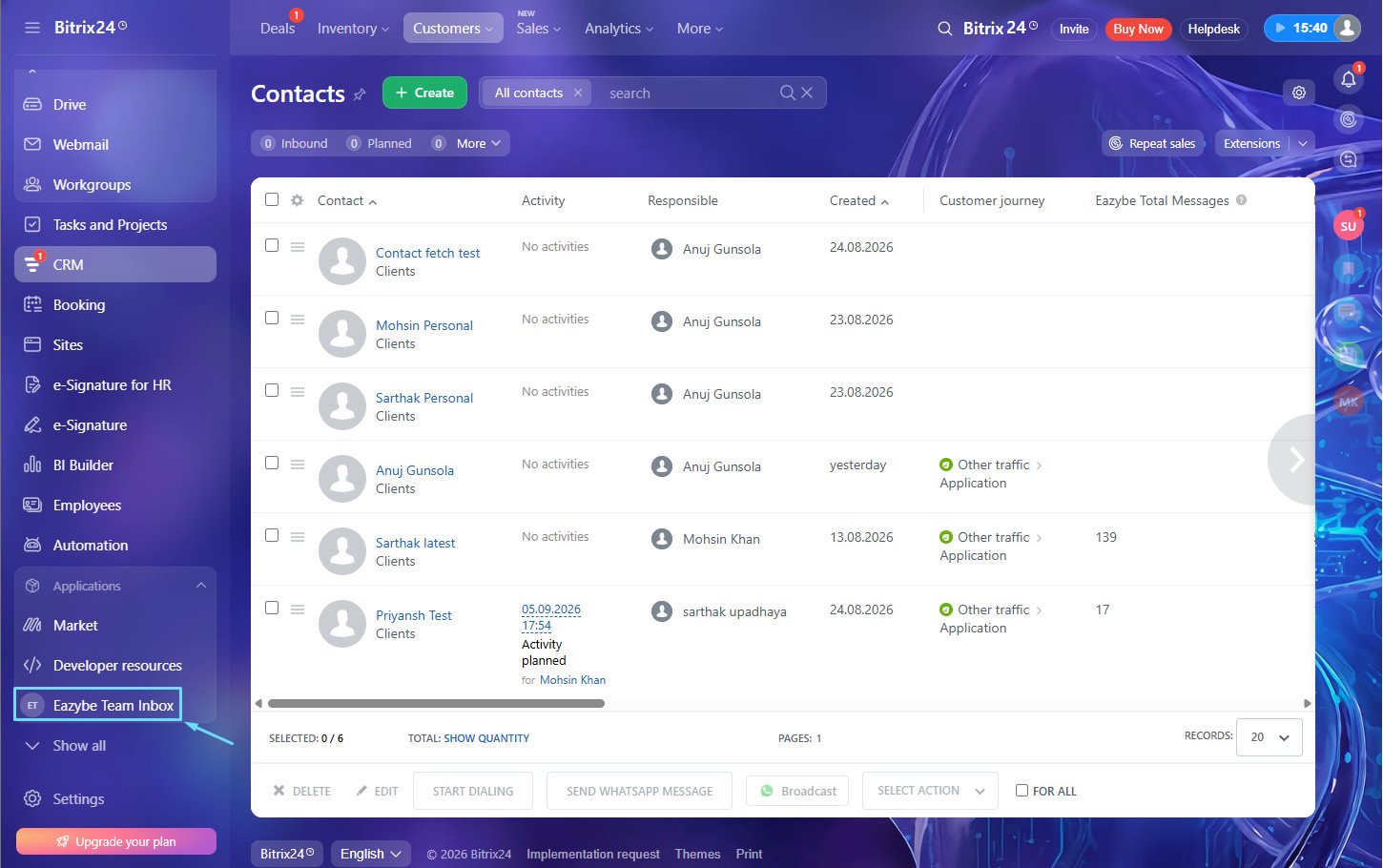
Look for the EazyBe Team Inbox option in the left sidebar of Bitrix24.
## Global Team Inbox
### Step 1: Find the EazyBe Team Inbox
Look for the EazyBe Team Inbox option in the left sidebar of Bitrix24.
 ### Step 2: Open Global Team Inbox
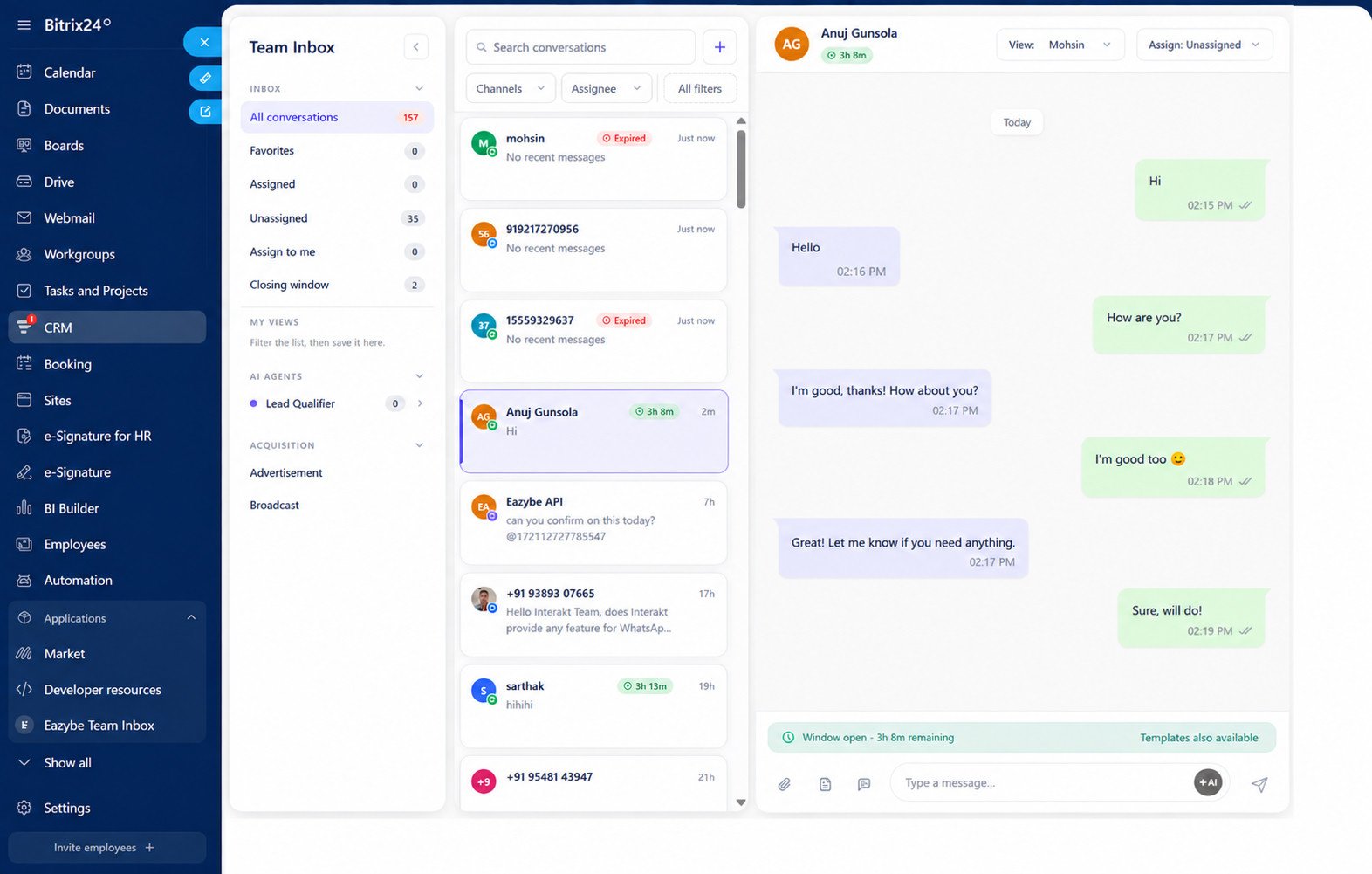
Click to access the full Team Inbox showing **all conversations** across your team.
### Step 2: Open Global Team Inbox
Click to access the full Team Inbox showing **all conversations** across your team.
 ## Requirements
To use the Team Inbox integration, you need:
* **Install EazyBe app** from the Bitrix24 Market
* **Active EazyBe integration** with Bitrix24
If you have a API or CoEx number connected, you can send and receive messages directly from the Team Inbox within Bitrix24.
## Access Control
Team Inbox accessibility is role-based:
* **Admins**: Can view all team conversations
* **Employees**: Can only view conversations assigned to them
## Features
### View Conversations
* **Contact inbox**: See all WhatsApp conversations with a specific contact
* **Global inbox**: View all team conversations in one place
* **Real-time sync**: Messages sync automatically every 12 minutes
### Send Messages
If you have a connected API or CoEx number:
* Send messages directly to contacts from Bitrix24
* No need to switch between applications
* All messages are logged in the contact's timeline
### Team Collaboration
* **Unified inbox**: All team conversations in one place
* **Contact context**: Access inbox while viewing contact details
* **Seamless workflow**: Stay within Bitrix24 while managing WhatsApp
***
If you have any questions, reach out to us at [hey@eazybe.com](mailto:hey@eazybe.com).
## Requirements
To use the Team Inbox integration, you need:
* **Install EazyBe app** from the Bitrix24 Market
* **Active EazyBe integration** with Bitrix24
If you have a API or CoEx number connected, you can send and receive messages directly from the Team Inbox within Bitrix24.
## Access Control
Team Inbox accessibility is role-based:
* **Admins**: Can view all team conversations
* **Employees**: Can only view conversations assigned to them
## Features
### View Conversations
* **Contact inbox**: See all WhatsApp conversations with a specific contact
* **Global inbox**: View all team conversations in one place
* **Real-time sync**: Messages sync automatically every 12 minutes
### Send Messages
If you have a connected API or CoEx number:
* Send messages directly to contacts from Bitrix24
* No need to switch between applications
* All messages are logged in the contact's timeline
### Team Collaboration
* **Unified inbox**: All team conversations in one place
* **Contact context**: Access inbox while viewing contact details
* **Seamless workflow**: Stay within Bitrix24 while managing WhatsApp
***
If you have any questions, reach out to us at [hey@eazybe.com](mailto:hey@eazybe.com).