> ## Documentation Index
> Fetch the complete documentation index at: https://help.eazybe.com/llms.txt
> Use this file to discover all available pages before exploring further.
# Message Sync
> Automatically sync WhatsApp conversations with your Bitrix contacts for seamless chat backup and activity logging
Keep your WhatsApp conversations automatically synchronized with Bitrix. EazyBe ensures your chat history is always backed up and accessible within your CRM.
## Automatic Sync
WhatsApp conversations with your Bitrix contacts are automatically synced every **3 minutes**.
Only chats with linked Bitrix contacts will be synced. Make sure your WhatsApp contacts are properly linked to Bitrix records.
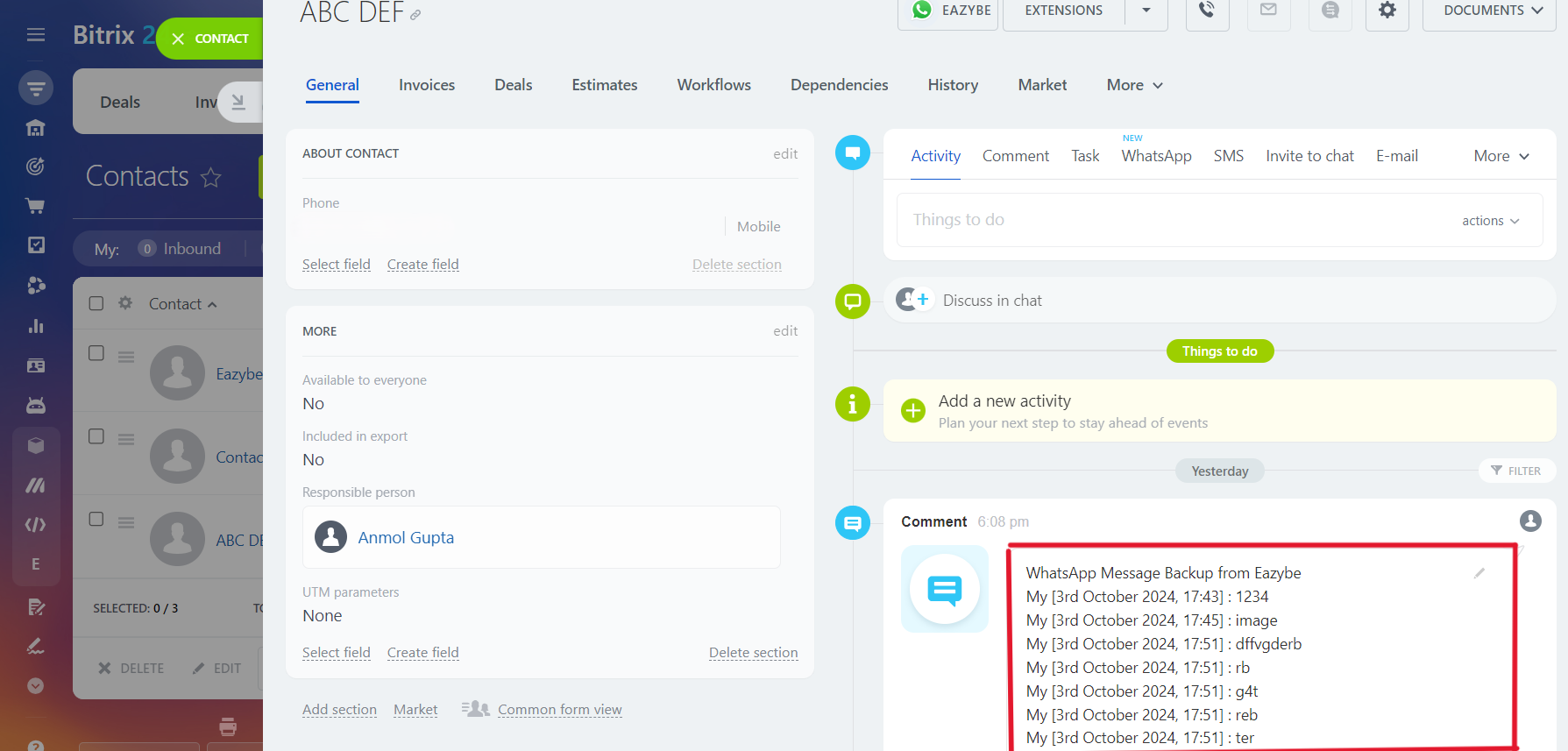
Once synchronization begins, the last synced date and time will be displayed in the EazyBe extension. You can verify the synchronization by clicking the icon to access the contact's Bitrix page.
 ## Initial Integration
When you integrate Bitrix for the first time, EazyBe automatically provides chat backup for the **past 3 days**. This ensures you don't lose any recent conversation history when setting up the integration.
## Activity Logging
WhatsApp chats are backed up in the **General section** of the **Contact's Page** in Bitrix. This allows you to:
* View complete conversation history within the CRM
* Track all communication with contacts
* Maintain a comprehensive activity timeline
Regularly check the sync status in the EazyBe extension to ensure your conversations are being backed up properly.
***
If you have any questions, reach out to us at [hey@eazybe.com](mailto:hey@eazybe.com).
## Initial Integration
When you integrate Bitrix for the first time, EazyBe automatically provides chat backup for the **past 3 days**. This ensures you don't lose any recent conversation history when setting up the integration.
## Activity Logging
WhatsApp chats are backed up in the **General section** of the **Contact's Page** in Bitrix. This allows you to:
* View complete conversation history within the CRM
* Track all communication with contacts
* Maintain a comprehensive activity timeline
Regularly check the sync status in the EazyBe extension to ensure your conversations are being backed up properly.
***
If you have any questions, reach out to us at [hey@eazybe.com](mailto:hey@eazybe.com).