> ## Documentation Index
> Fetch the complete documentation index at: https://help.eazybe.com/llms.txt
> Use this file to discover all available pages before exploring further.
# Last Sync Time
> How to check the last sync time for your team using Bitrix integration
As an administrator, you can monitor when your team's Bitrix chats were last synchronized through the EazyBe Workspace.
## Checking Last Sync Time
Access [workspace.eazybe.com](https://workspace.eazybe.com/) and log in using your admin credentials.
Click on the **Dashboard** button in the main navigation.
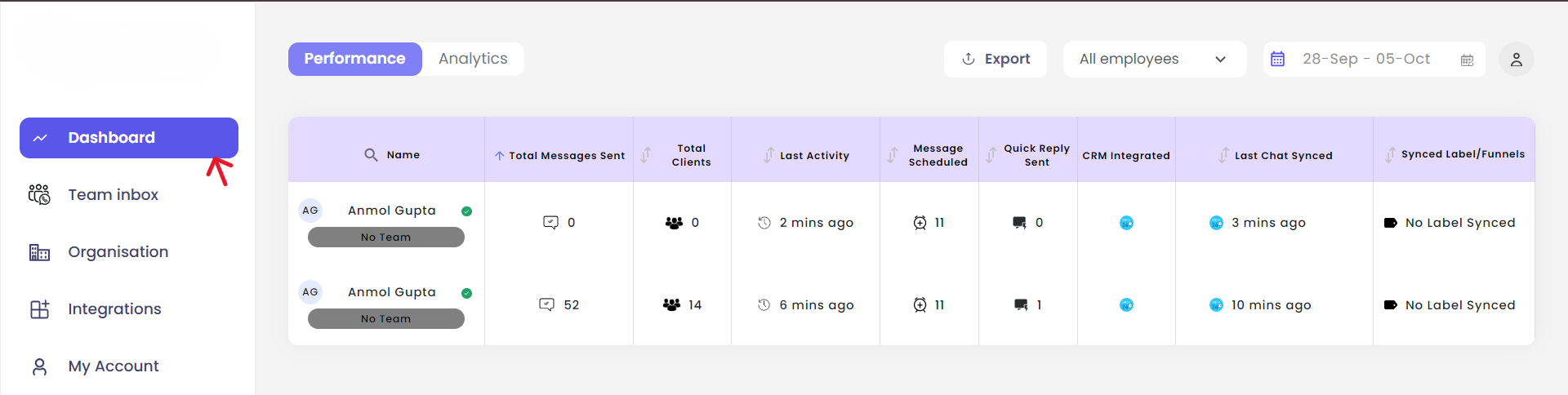 In the **Last Chat Synced** column, you will see the last sync time of the Bitrix chats for all your employees.
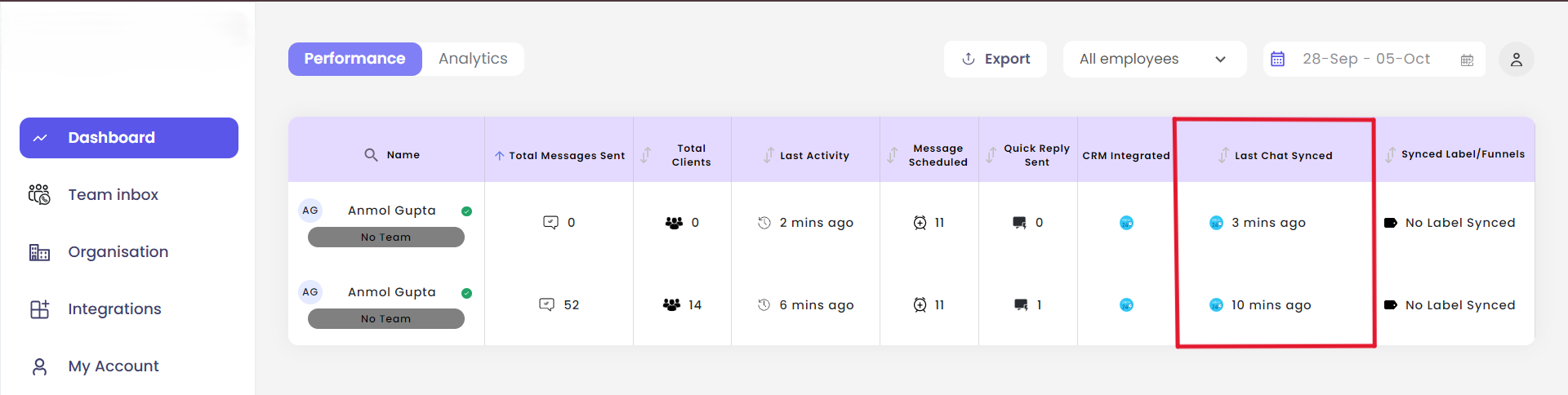 The Last Chat Synced column displays the timestamp of the most recent synchronization for each team member. This helps you identify if any team member's chats haven't been syncing properly.
## Understanding Sync Status
Use this information to:
* **Monitor team activity** - See which team members are actively using the integration
* **Troubleshoot issues** - Identify team members with outdated sync times who may need assistance
* **Ensure compliance** - Verify that all conversations are being properly backed up
If a team member's last sync time is significantly outdated, they may need to refresh their WhatsApp Web session or check their browser extension status.
***
If you have any questions or need further assistance, reach out to us at [hey@eazybe.com](mailto:hey@eazybe.com). We're happy to help!
The Last Chat Synced column displays the timestamp of the most recent synchronization for each team member. This helps you identify if any team member's chats haven't been syncing properly.
## Understanding Sync Status
Use this information to:
* **Monitor team activity** - See which team members are actively using the integration
* **Troubleshoot issues** - Identify team members with outdated sync times who may need assistance
* **Ensure compliance** - Verify that all conversations are being properly backed up
If a team member's last sync time is significantly outdated, they may need to refresh their WhatsApp Web session or check their browser extension status.
***
If you have any questions or need further assistance, reach out to us at [hey@eazybe.com](mailto:hey@eazybe.com). We're happy to help!